CSV Import
Upload a list of identifiers and Flagsmith turns it into a segment you can use to override features. Use this when the group of users you want to target is a list you can export, such as beta signups from a spreadsheet, accounts from your CRM, or the users named in a support ticket.
Read the cohort synchronisation overview first for how synchronised segments behave.
Preparing your file
Your CSV file needs one column holding the identifiers of the users you want to target. These must be the same values your application uses to identify users with Flagsmith, otherwise the segment will not match anyone.
Other columns are ignored, so you can upload an export without stripping it down first. Files can be up to 10 MB.
Creating the segment
- Go to the Segments page in your project and click Create Segment.
- Choose From a CSV list.
- Give the segment a name and, optionally, a description.
- Select the environment the identities should be targeted in.
- Drag your CSV file onto the upload area, or click Select file to browse for it.
- Check the Identifier column that Flagsmith has picked, and change it if the identifiers are in a different column. Untick First row contains headers if your file starts with data rather than column names.
- Review the preview and the number of identifiers detected, then click Create Segment.
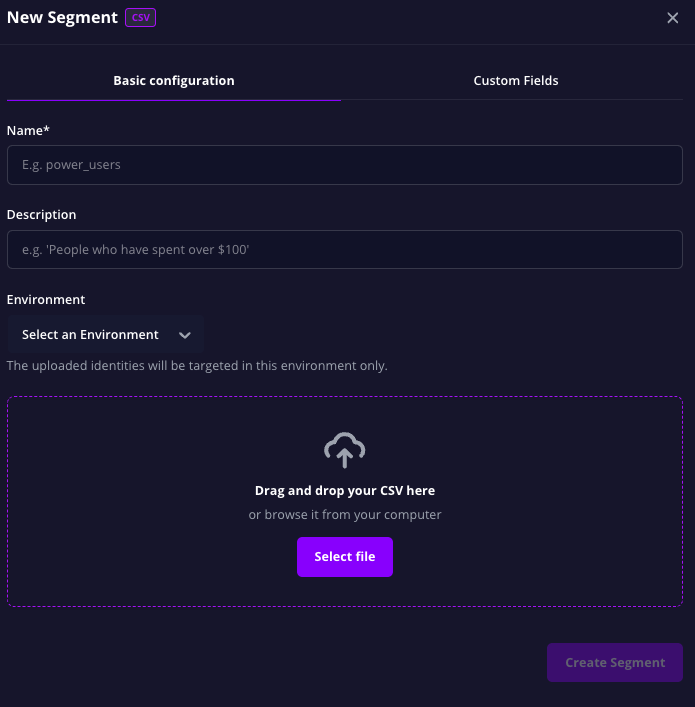
The identities you upload are only targeted in the environment you select, and that choice cannot be changed later. To target the same list in another environment, create a second segment there and upload the same file.
Updating the members
Membership only changes when you upload a new file, so re-upload whenever your list has moved on.
- Open the segment from the Segments page.
- Under Update the list, click Replace file and choose your new CSV file.
- Confirm the identifier column and header setting, review the preview, then click Synchronise.
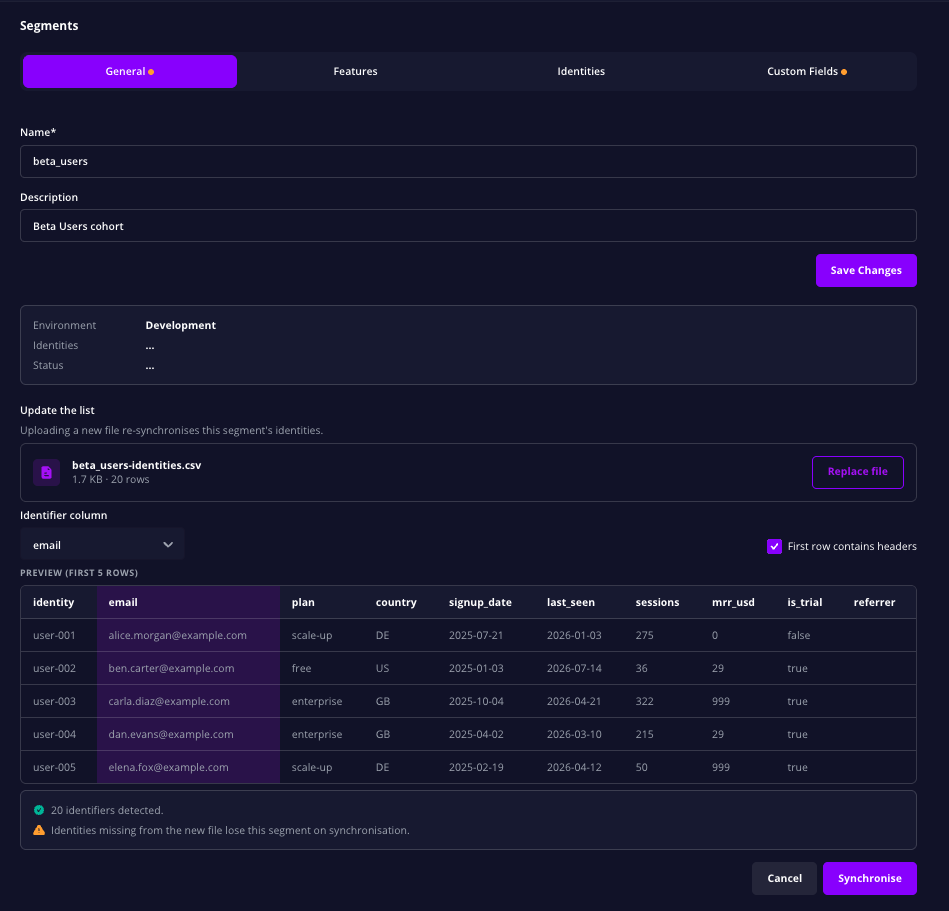
Each upload replaces the membership rather than adding to it. Identifiers in the new file become the members of the segment, and any identity that is missing from it loses the segment. To add people to the segment, upload a file that contains both the existing members and the new ones.
Notes
- Rows with an empty identifier, and identifiers that appear more than once, are ignored.
- The identifiers are matched to identities exactly, so watch for stray whitespace or differences in case in your export.